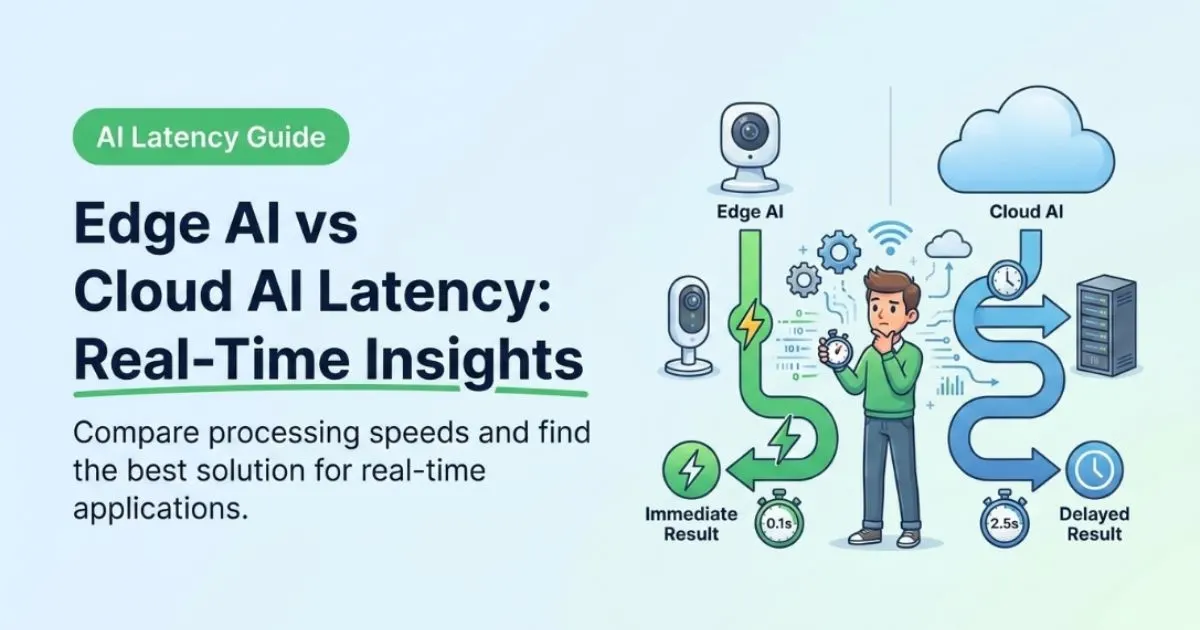
Edge AI vs Cloud AI: Who Actually Wins on “Real Time”?
Let’s be honest: “real time” might be the most abused phrase in tech right now.
Everything is suddenly real time, even the dashboard that refreshes every 30 seconds and pretends that it’s urgent.
Here on this site, we live in the AI + productivity world: how to actually ship things that feel fast, responsive, and not like a group project over bad Wi‑Fi. You’re probably a student or early engineer who has tried to call a cloud model from a dorm room connection and watched your “real time” app move like a Google Drive folder with 10,000 files.
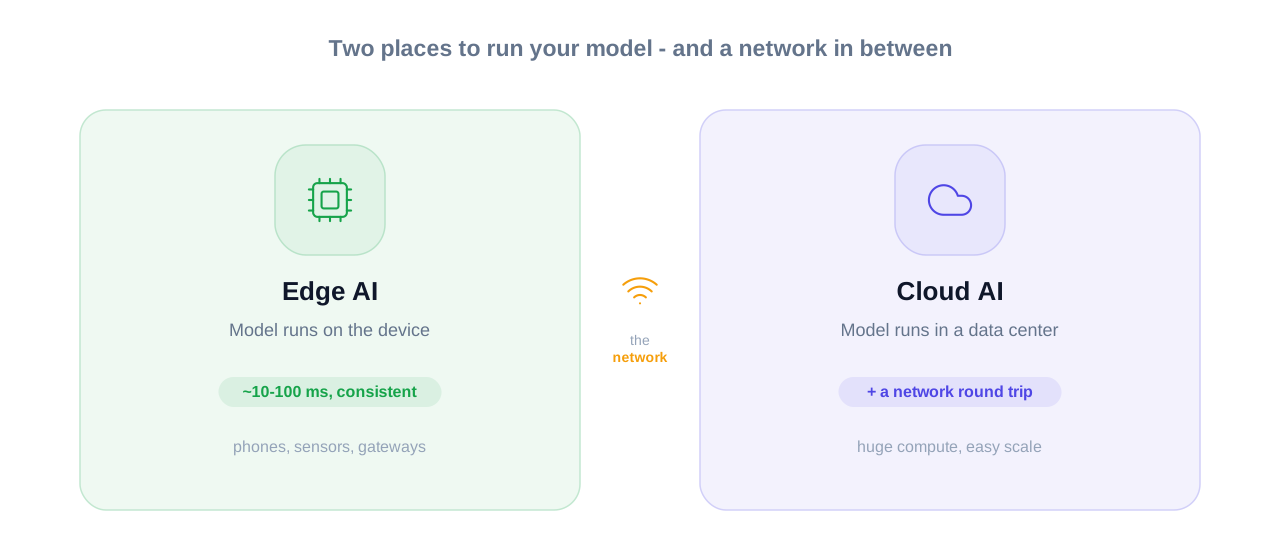
The core question is simple: if you put your AI model on the device (edge) instead of in some distant data center (cloud), do you actually get faster real-time insights, or is that just marketing dressed up as latency graphs? Edge AI pushes the model closer to where data is created, like phones, sensors, or gateways. Cloud AI keeps the model in central servers with absurd computation but adds a network round trip for every inference.
You’re not here for buzzwords. You want to know: for my app, my users, my budget, which setup actually feels instant and when is “instant” not worth the extra engineering pain?
THE THING NOBODY ACTUALLY SAYS OUT LOUD
Here’s what most glossy “Edge vs Cloud AI” diagrams never admit: nobody cares where your model runs if the experience feels instant and doesn’t break when the Wi‑Fi sneezes.
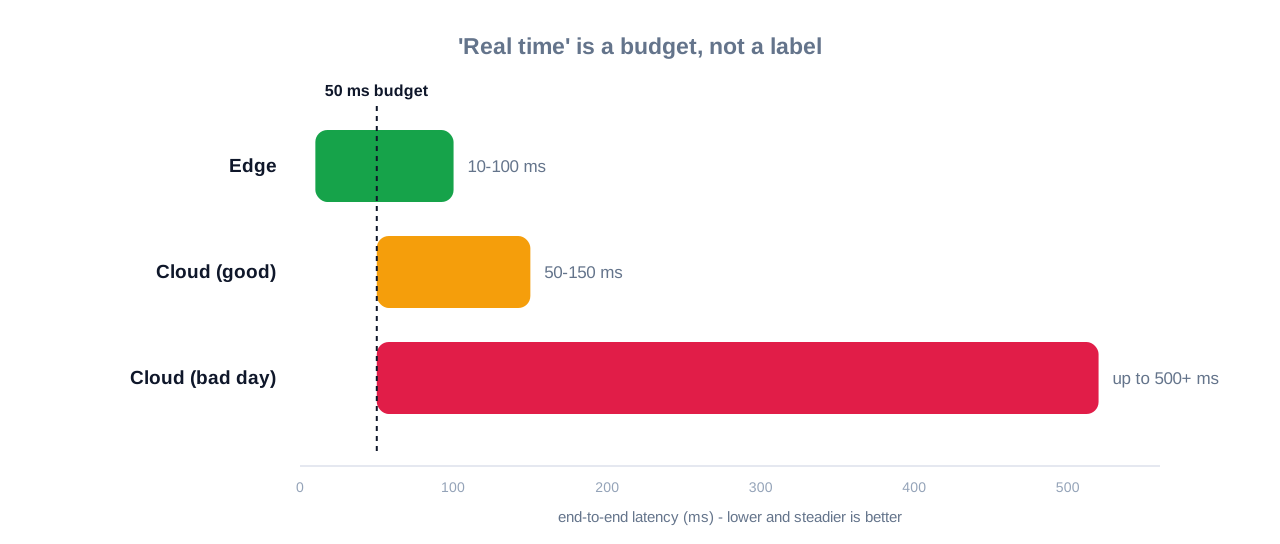
The diagrams love clean arrows: sensor → edge → cloud → insights. Reality is more: camera → flaky router → mystery 4G dead zone → cloud region on the other side of the planet → your user wondering if the app crashed. Cloud inference adds a full network round trip, which on a good connection is roughly 50 to 150 milliseconds, and on a bad one can spike to 500 ms or more.
“Real time” is not a label, it’s a budget.
If your latency budget is 50 ms end-to-end, that single cloud hop can burn the whole thing. Edge devices can respond in around 10 to 100 ms consistently because the processing happens locally without that internet round trip. But of course, nobody mentions that your edge device also has the compute power of a slightly stressed potato compared to a cloud GPU cluster.
Here’s the part folks gloss over: for a ton of “real time” use cases — think detecting anomalies on a machine, flagging a lane departure in a car, or pausing a robot arm before it smashes someone’s hand — you don’t need the smartest model, you need the fastest deterministic answer. And deterministic here means “it answers in roughly the same time, every time,” not “answers whenever the network feels like being generous.”
The unspoken reality:
- Cloud AI is incredible for heavy models, experiment velocity, and scale.
- Edge AI is boring in the best way: it just keeps working, even when the internet doesn’t.
Pop culture version: cloud AI is like using Google Docs group editing powerful but one bad connection and someone’s changes disappear. Edge AI is that friend who insists on offline Notion exports and local backups; you laugh at them right until the Wi‑Fi dies during your final project demo.
The question isn’t “edge or cloud?” It’s “when is network unpredictability going to absolutely ruin my life?”
If your app needs to feel fast in the real, messy world trains, crowded campuses, factories, cities with patchy 4G then the center of gravity quietly shifts towards the edge. The market trend reflects this too: the edge AI market is already in the tens of billions of dollars and growing at over 20 percent annually, driven by real-time scenarios like manufacturing and autonomous systems.
Nobody says this out loud because it kills a lot of neat architecture diagrams: your real enemy isn’t “inferencing speed,” it’s the internet.
HOW THIS ACTUALLY WORKS THE REAL MECHANICS
Let’s strip the hype and talk mechanics like someone who has actually tried to ship things.
Edge AI means your model runs on or near the device: phones, cameras, IoT gateways, or small edge servers sitting close to where data is generated. Data stays local, inference happens there, and only summaries or events may go upstream. Cloud AI means your data travels all the way to remote data centers, runs on big accelerators, and returns the result after a round trip.
The forcing function is latency. A single cloud round-trip usually adds 50 to 150 ms on a decent LTE or 5G city connection, and can be worse when the signal drops or the user is far from the region. In contrast, well-optimized edge inference can stay in that 10 to 100 ms window because you skip the network leg entirely. That difference is the line between “feels instant” and “feels like a laggy button.”
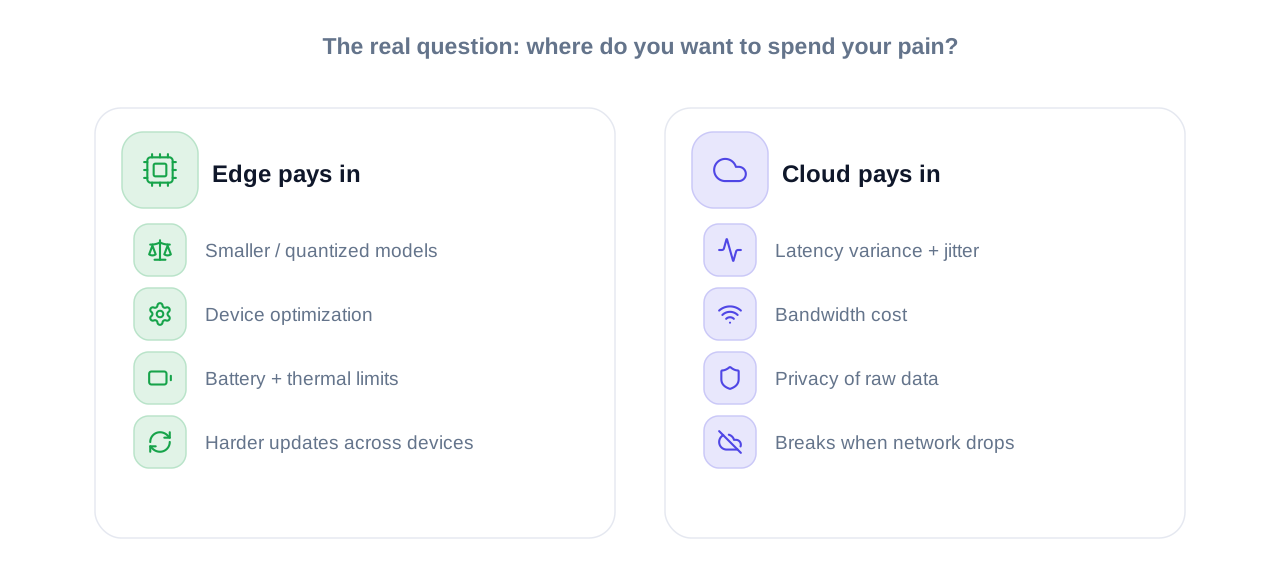
Now the niche angle most generic articles skip: the real decision isn’t just “where is the model?” It’s “where do you want to spend your pain?”
- Edge: You pay in model size constraints, device optimization, battery, and update complexity.
- Cloud: You pay in latency variance, bandwidth cost, and privacy concerns.
Here’s how that looks in your day-to-day scenarios:
- A vision model on a factory camera detecting defects: massive stream of frames, local conditions, hard real-time requirements. Edge wins, cloud is a supervision layer.
- A text classification API for occasional support tickets: tiny requests, human in the loop, seconds of delay tolerated. Cloud is fine and far easier.
- A wearable health sensor that must detect critical events even if the user is in a dead zone: edge isn’t optional; cloud is “nice to have analytics later.”
Some mechanics people gloss over:
- Edge AI often uses smaller models or quantized versions because compute and memory are limited.
- Cloud AI can host large foundation models and retrain rapidly, with centralized deployment and monitoring.
- Hybrid setups route common, low-risk cases to edge and escalate weird or high-value cases to cloud.
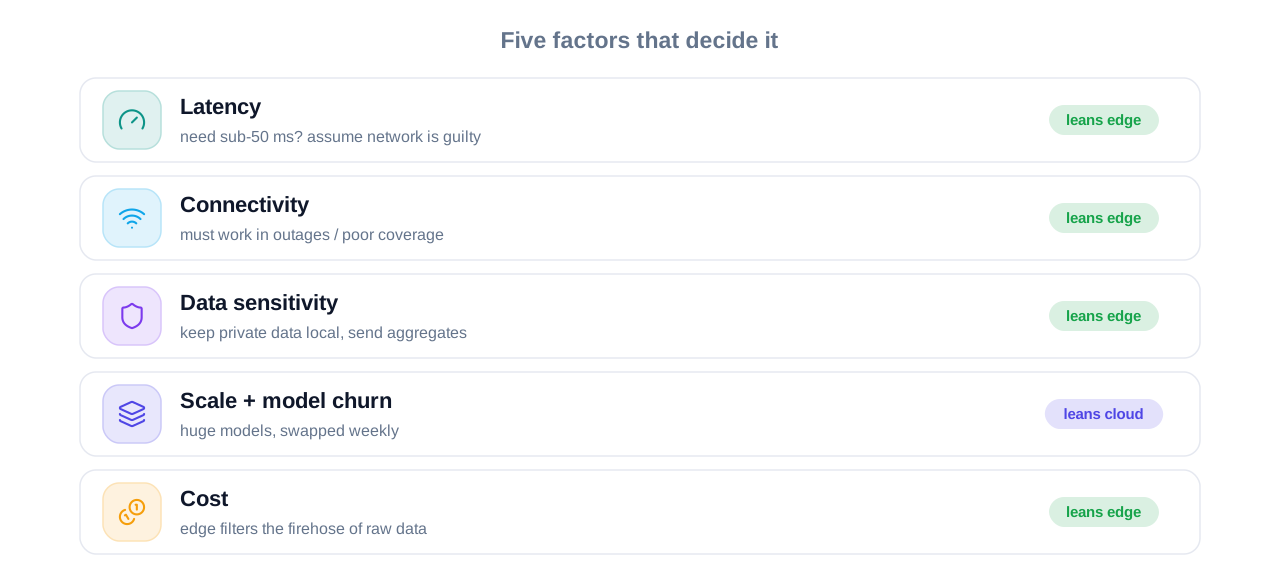
The practical rule: you choose the bottleneck you can live with either limited local compute, or unpredictable network.
Short list, with opinions included:
- Latency: Edge is for hard real time; cloud is “fast enough” only if your app can tolerate 100+ ms and jitter. If you need sub-50 ms decisions, assume network is guilty until proven innocent.
- Connectivity: If your system must work during outages or in poor coverage, edge (or on-prem) is non-negotiable.
- Data sensitivity: Private or regulated data is usually better processed locally, with only aggregates leaving the device.
- Scale & model churn: If you expect to swap models weekly or run huge ones, cloud saves your sanity with central deployment.
- Cost: Transmitting raw high-frequency data to the cloud is expensive; edge acts as a filter, sending only meaningful events.
Once you view it as “where should I suffer: device, network, or wallet?” the architecture choices become much clearer.
COMPARISON WHAT’S ACTUALLY DIFFERENT BETWEEN YOUR OPTIONS
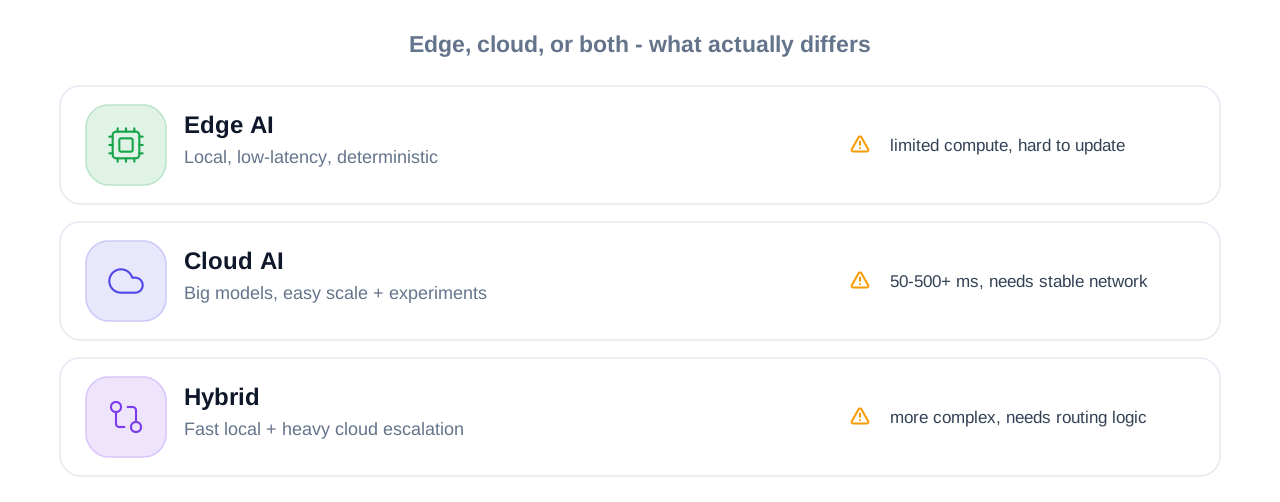
| Option | What it actually does | Who it’s for | The catch |
| Edge AI | Runs models on or near the device for local, low-latency inference. | Apps need deterministic latency, offline operation, or local data privacy. | Limited compute, smaller models, harder deploy/update path across many devices. |
| Cloud AI | Runs models in remote data centers with large compute and easy scaling. | Heavy models, experimentation, analytics, and latency-tolerant use cases. | Adds 50–500+ ms round-trip latency and depends on stable connectivity. |
| Hybrid Edge+Cloud | Splits work: fast local inference on edge, complex or rare cases in cloud. | Real-time products that also need big models, learning loops, or global analytics. | More complex architecture, needs routing logic and good observability. |
If you’re building anything that feels “live” robotics, AR, realtime vision, safety systems I’d start with edge first and add cloud for the things that aren’t on fire. For dashboards, batch analytics, or low-frequency API-style apps, cloud is fine and often easier to ship.
WHAT ACTUALLY HAPPENS WHEN YOU TRY THIS
When you actually try to ship an “instant” AI feature to real users, you discover something very fast: your model is rarely the slowest part.
You spend a week optimizing the network call to a cloud model, feel proud of your 120 ms median latency, and then you test from a coffee shop where someone is streaming 4K YouTube and suddenly your 120 ms has turned into 600 ms plus random timeouts. That’s when you realize your payload is tiny, your model is fast, and the network is just rolling a dice every request.
The first surprise most people hit with edge: the consistency feels magical. That on-device model might not be the biggest or smartest, but it responds in roughly the same 20–40 ms every time, and your UI starts to feel like it knows what it’s doing. In gesture control, robotics, or live camera overlays, that predictability beats raw horsepower.
Another pattern that shows up: you don’t actually need the cloud for everything. In one project, we switched from sending every frame to the cloud to running a lightweight detector on the device. Only when it saw something suspicious did we send snapshots upstream to a heavier model. This single change cut bandwidth dramatically and brought p95 latency down while still using the big model when it mattered.
Most articles also skip the debugging reality. With cloud-only setups:
- Every user issue is “works on my machine” but fails on their network.
- You stare at logs trying to separate model issues from latency spikes.
- You end up adding retries, fallbacks, and loading states that slowly kill the “real time” promise.
With edge-heavy or hybrid setups:
- You can log local inference times separately from network calls.
- You can fail closed: if the cloud is down, edge still handles core safety or UX.
- You discover that sending less data upstream actually improves reliability and cost.
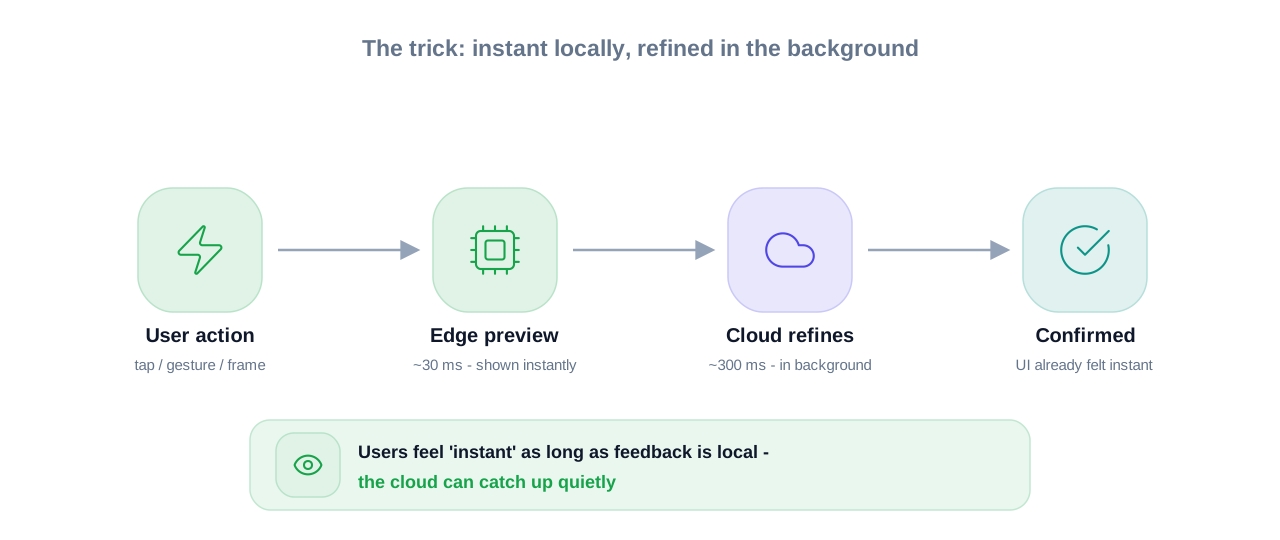
One very specific pattern other articles miss: the user’s perception of real time is different from raw latency. If your app responds locally in 30 ms with a “preview” result from an edge model, and then silently refines or confirms using the cloud in the background, users feel like it’s instant even if the cloud step takes 300 ms. The trick is to decide what must be instant (safety, feedback, UI) and what can lag behind a bit (analytics, refinements, logging).
You’ll also run into the update problem. Cloud-only: ship one new model, everyone uses it right away. Edge: You have a zoo of devices, versions, and connectivity conditions. That’s why hybrid setups are popular: small, stable edge model for local decisions; fast-changing, bigger model in the cloud.
In practice this means your architecture stops being “where is the model?” and becomes “what happens when the network is terrible and we still need to not look stupid?”
THE ADVICE EVERYONE GIVES VS WHAT ACTUALLY WORKS
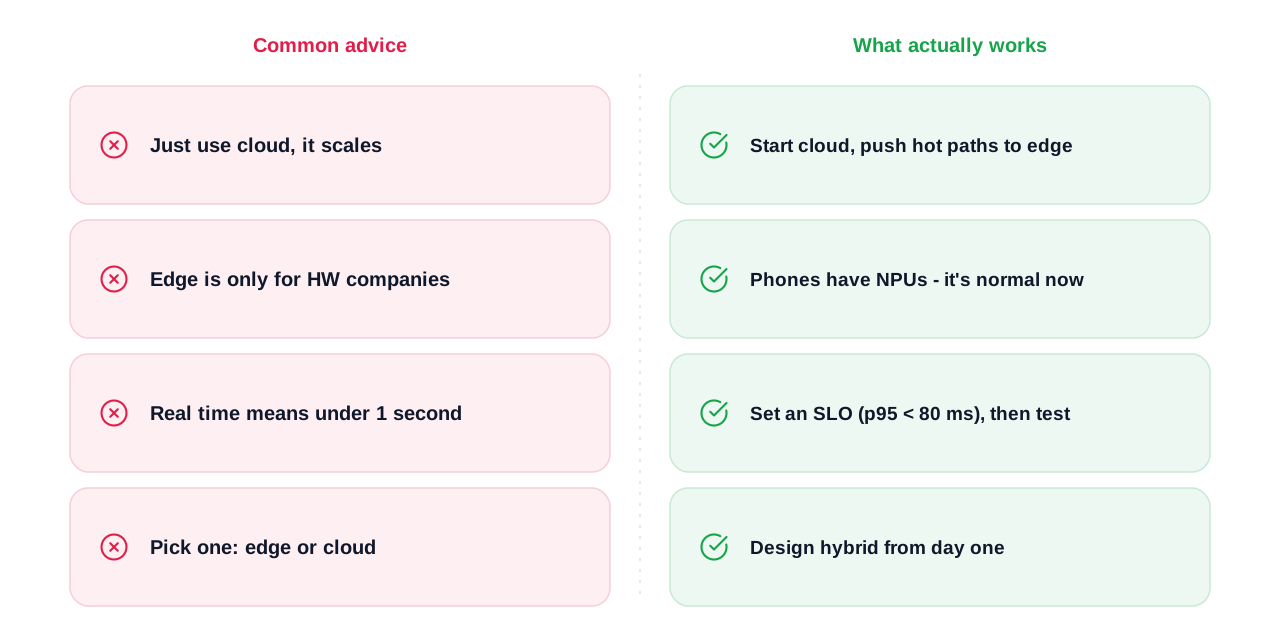
- “Just use cloud AI, it’s cheaper and scales better.”
This sounds reasonable when you’re playing with a free tier in a computer lab. Cloud AI does give you massive on-demand compute, easy scaling, and managed infrastructure. The problem is, at scale you pay three ways: per inference, per GB transferred, and in user frustration when latency spikes.
What works better: start with cloud because it’s fast to build, but measure real latency from your worst networks dorms, public Wi-Fi, low-signal areas. Then push latency-critical or high-frequency parts of the pipeline to the edge to cut jitter and bandwidth.
- “Edge is only for super advanced hardware companies.”
That used to be more true. But now you’ve got phones with NPUs, cheap edge devices, and frameworks that make on-device inference much easier. Several edge AI segments are already billions of dollars big because companies are using them in very normal-seeming settings like factories and smart cities.
The real constraint isn’t “hardware company” vs “not hardware.” It’s: can you simplify your problem enough to fit a reasonably sized model locally, and is the latency/privacy win worth the engineering overhead? For many “always running” use cases, the answer is yes.
- “Real time means under 1 second, you’re fine.”
For analytics dashboards and human review workflows, sure. But for interaction — controlling a robot, AR overlays, fraud checks before approving a transaction — anything near a second feels broken. Edge setups are often targeting under 100 ms for the entire loop, and many try to stay under 50 ms for safety-critical systems.
The better frame is: define your latency SLO (say p95 under 80 ms), and then benchmark edge vs cloud against that under real network conditions. That’s the test that matters, not some generic “sub-second” rule.
- “Pick one: edge or cloud.”
This is probably the most limiting advice. In 2026, a lot of serious systems are intentionally hybrid: edge for immediate reaction, cloud for deeper thinking and long-term learning. Edge filters the firehose of data, and the cloud spots long-term patterns, retrains models, and pushes updates back.
The realistic alternative: design from day one assuming you’ll use both, but be very strict about which parts are allowed to depend on the network.
Once you stop treating “real time” as a branding term and start treating it as a measurable budget, the advice that actually works becomes obvious.
THE PRACTICAL PART WHAT TO ACTUALLY DO
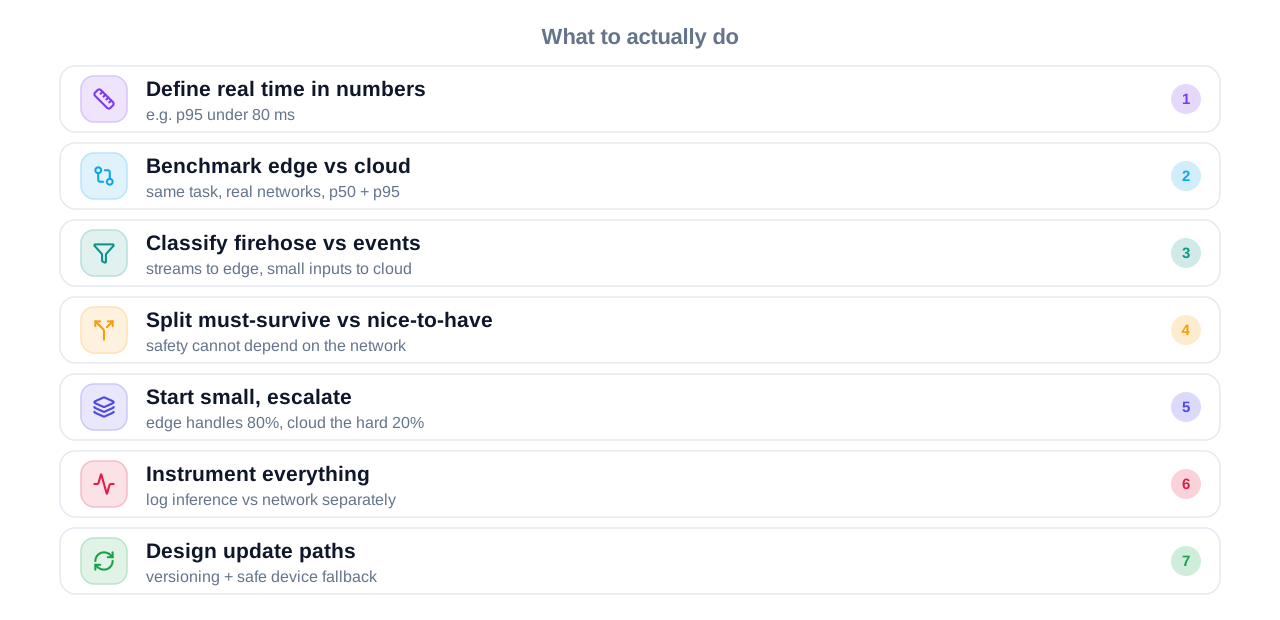
- Define your “real time” in numbers, not vibes.
Write down your target latency: for example, “p95 under 80 ms from event to response.” That one line will kill a lot of vague debates. Then list which actions in your app are hard real time (must fit that budget) and which can be slower because a human is waiting anyway. This alone often reveals where edge is mandatory and where cloud is completely fine.
- Benchmark edge vs cloud on the same task.
Pick a representative model and run it in two versions: one on an edge device and one via a cloud endpoint. Measure end-to-end latency including encoding, network, decoding, and post-processing from a real client, not just curl from a server in the same region. Compare p50 and p95, not just the best case. The point is to see how bad the bad days are.
- Classify your data: firehose vs events.
Ask: Is your app generating lots of high-frequency data (video, sensor streams) or small, occasional inputs (single text queries)? For firehose-style data, lean towards edge filtering so you only send meaningful events to the cloud. For occasional or low-volume inputs, cloud might be simpler and still feel fast enough.
- Split your features into “must survive network failure” and “nice-to-have.”
Anything safety-related, UX-critical, or high-frequency should not die when the network drops. That part deserves edge models or on-prem inference. Background insights, summary dashboards, deep analytics, or non-urgent recommendations can sit in the cloud pipeline without hurting user trust if they lag.
- Start with a small edge model and escalate only when needed.
Instead of trying to cram your biggest model onto a device, choose a fast, small model to handle the 80 percent of cases that are obvious. Only send ambiguous or high-value cases to a bigger cloud model. This pattern keeps your app snappy while still using heavy models when they’re actually helpful.
- Instrument everything from day one.
Add logging for inference time, queue time, and network round-trip separately. This is how you find out that your model is fine and the network is the villain, or that your edge device is thermal throttling. Without this, you’ll waste weeks “optimizing” the wrong piece.
- Design update paths for both sides.
Cloud models are easy to update; edge ones are not. Plan versioning, rollouts, and a way for devices to safely fall back if an update fails. Even as a student project, treat edge updates as part of the architecture not an afterthought when your first bug hits production hardware.
QUESTIONS PEOPLE ACTUALLY ASK
Edge AI typically responds in around 10 to 100 milliseconds because it processes data locally and skips the internet round trip. Cloud AI adds network latency, so responses often fall in the 50 to 500+ millisecond range depending on distance and signal quality. For some apps, that extra 100 to 200 ms is no big deal; for others, it breaks the whole experience. The real win with edge is that the timing is more consistent, not just lower on average.
Yes, if your “real time” doesn’t mean “reflex-speed.” For tasks like content recommendations, fraud checks, or support automation where humans expect a short pause, cloud latency is often fine. If you’re in a city, on good 5G, and near the provider’s region, you might see 80 to 150 ms end-to-end. That can feel snappy in many UI flows, but you wouldn’t use it for collision avoidance or gesture tracking.
Use edge when failure or slowness is unacceptable if the network is bad. That includes factory control, autonomous systems, wearables that detect critical events, and anything that must keep working in tunnels, trains, or rural areas. It also makes sense when your data stream is huge, like continuous video, and sending everything to the cloud would crush your bandwidth and budget. In those cases, edge isn’t a nice optimization — it’s the only sane choice.
Yes, and that’s often the best setup. Many modern architectures do quick, local inference on the edge and send only selected events or summaries to the cloud for deeper analysis or long-term learning. Edge handles safety and UX responsiveness; the cloud handles big models, retraining, and coordination across devices. This hybrid pattern lets you get the best of both instead of treating them like opposing camps.
It depends on what your app is doing. For safety-critical or interactive control (robots, AR, driving assistance), teams often target under 50 ms and sometimes lower. For UI actions and decisions a user can see, staying under roughly 100 ms usually feels instant enough. Anything over 300 to 500 ms starts to feel like “waiting,” which is fine for analytics but not for live interaction.
Edge helps because data can stay on the device, and only aggregates or alerts are sent out. That reduces exposure and can make compliance easier. But it’s not magic: you still need to think about device security, local storage, and how updates are delivered. If you then mirror raw data to the cloud “just in case,” you lose most of the privacy benefit.
It depends on usage patterns. For low-frequency workloads or small payloads, cloud is often cheaper because you don’t buy hardware and you only pay when you call the model. For high-frequency streams like video or sensor fire hoses, constantly shipping data to the cloud can get expensive, and edge filtering can save a lot. The real move is to estimate both: per-device cost for edge vs bandwidth + compute + storage for cloud.
Yes, and that’s usually the smartest student/early-stage path. Start with cloud so you can iterate on the model quickly and get something working. While users are trying it, measure latency, bandwidth, and failure modes in the wild. Once you see which parts truly need faster and more reliable behavior, you can push those pieces to the edge, keeping the rest in the cloud.
SO WHERE DOES THIS LEAVE YOU?
So here’s the boring, honest answer no vendor pitch will give you: neither edge AI nor cloud AI “wins” in general. One wins for your latency budget, your network realities, and your tolerance for complexity. The right choice is less about which whitepaper sounds cooler and more about where you’re okay absorbing pain on the device, on the network, or in your infrastructure.
If you care about real-time in any serious sense sub-100 ms reactions, safety, or highly interactive UX you can’t outsource all of that to someone else’s data center and pray the network behaves. Edge becomes part of the story whether you feel ready or not. The cloud then becomes your “thinking layer”: heavy models, training, long-term insights, coordination.
The one concrete thing you can do today: pick one idea you’re working on — even a side project and write down a hard latency number you want to hit, then test a basic cloud-only version from your worst network. If it blows your budget, you’ve just learned more about edge vs cloud than another ten blog posts. It’s not perfect, it’s not easy, but it’s honest and that’s where real engineering starts.
You made it all the way down here, so clearly you care about this stuff more than whoever slapped “real-time AI” on their landing page with a stock photo of a server rack. That’s good. The annoying truth is that your users don’t care about “edge” or “cloud,” they care about things not lagging or breaking when the Wi‑Fi hiccups. If you remember nothing else, remember this: real-time is a budget, not a buzzword — and your architecture only matters as much as it helps you hit that budget when the network is having a bad day.